
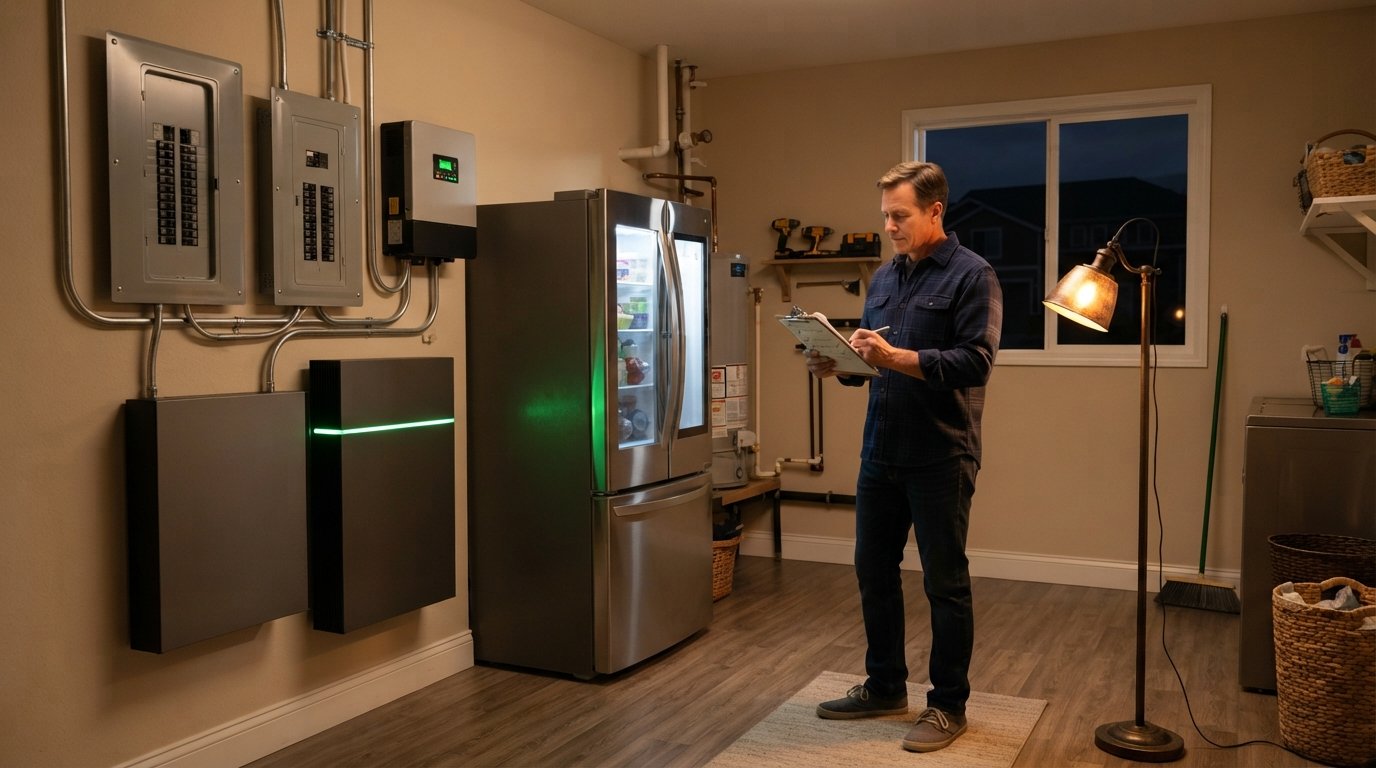
Battery Backup Essentials: How Many Appliances Can Run?
Battery backup essentials: how many appliances can run depends on capacity and surge power. Call 8337937166 for free solar and battery quotes.

By Olivia Ingram
Learn more about Solar Panel Installation and Repair for guides, costs, and what to expect.
Compare Solar Panel Installation and Repair Pros Near You

Enter your ZIP code to compare top-rated local professionals and request free quotes.
When the grid goes down, the value of a home battery backup system is measured in one simple question: how many appliances can it actually run? The answer depends on three variables: the battery's usable capacity, the surge and continuous power ratings of the inverter, and the efficiency of the appliances you choose to power. Get those three numbers right, and you can keep the refrigerator humming, the Wi-Fi alive, and the lights on through an outage. Get them wrong, and you may find yourself with a dead battery in the middle of the night, wondering why the air conditioner tripped the whole system.
This guide walks through the battery backup essentials that determine how many appliances can run, from calculating your critical load to sizing a system that matches your household. It also covers the practical trade-offs homeowners face, including cost, installation, and how battery storage pairs with solar panels. If you are weighing a whole-home battery against a smaller essential-load setup, the sections below will give you the numbers and the framework to decide.
The Three Numbers That Determine Appliance Capacity
Every battery backup system is defined by three specifications that work together to set the ceiling on how many appliances can run. The first is usable capacity, measured in kilowatt-hours (kWh). This is the amount of energy the battery can actually deliver, which is usually less than its nameplate rating because most lithium-ion systems reserve a small buffer to protect the cells. A battery advertised as 13.5 kWh may only offer 13.5 kWh of usable capacity, or it may offer 12 kWh, depending on the manufacturer.
The second number is continuous power output, measured in kilowatts (kW). This tells you how much power the battery can deliver at any instant, and it is the spec that determines whether you can run a microwave, a well pump, or a central air conditioner simultaneously. The third number is surge power, which is the brief burst of power a battery can supply when a motor-driven appliance starts up. Refrigerators, furnaces, and air conditioners draw two to three times their running wattage for a few seconds at startup, and a battery that cannot meet that surge will shut down or trip a breaker.
A useful way to think about the difference is to compare a battery to a car. Capacity is the size of the fuel tank; continuous power is the top speed; surge power is the acceleration needed to merge onto a highway. A large tank with a weak engine will not get you up a steep hill, and a powerful engine with a tiny tank will run dry quickly. Battery backup essentials start with matching all three specs to your actual appliance list.
How to Calculate Your Critical Appliance Load
Before you shop for a battery, list the appliances you want to run during an outage and estimate how many hours per day each one operates. The goal is not to replicate your normal electricity use but to identify the loads that matter most for safety, comfort, and communication. Most homeowners prioritize the refrigerator, a few lights, the internet router, phone chargers, and a medical device if anyone in the home depends on one.
The formula is straightforward: watts multiplied by hours equals watt-hours. If a refrigerator draws 150 watts and runs about eight hours per day (compressors cycle on and off), it consumes roughly 1,200 watt-hours, or 1.2 kWh daily. A Wi-Fi router at 10 watts running 24 hours uses 240 watt-hours. Ten LED bulbs at 9 watts each, running five hours, use 450 watt-hours. Add those together and a modest essential load lands near 2 kWh per day.
Heating and cooling appliances change the math dramatically. A central air conditioner may draw 3,500 watts while running and 7,000 watts at startup, and in a hot climate it might run ten hours a day. That single appliance can consume 35 kWh daily, which is more than many single-battery systems can store. A window unit or a ductless mini-split is far more battery-friendly, often drawing 500 to 1,200 watts. Space heaters are similarly power-hungry, with many models drawing 1,500 watts continuously.
To make the process concrete, here is a simple framework for building your load list:
- List every appliance you want to power during an outage.
- Record the running watts from the label or the owner's manual.
- Estimate daily run hours for each appliance.
- Multiply watts by hours to get daily watt-hours.
- Add a 20 percent buffer for inverter losses and unexpected use.
Once you have that total, compare it to the usable capacity of the batteries you are considering. A single 13.5 kWh battery can comfortably cover a 4 to 6 kWh daily essential load for two days, while a 5 kWh battery would struggle to last a single day with the same load. The buffer matters because batteries lose efficiency in cold weather and because inverters are not perfectly efficient.
Appliance-by-Appliance Power Guide
Understanding typical wattage ranges helps you estimate capacity without measuring every device. The table below reflects common residential appliances in the United States, though exact figures vary by model, age, and efficiency rating. Always check the nameplate or manual for the appliance you actually own.
- Refrigerator: 100 to 250 running watts, 600 to 800 surge watts
- Furnace fan (gas furnace): 200 to 500 running watts, 800 to 1,200 surge watts
- Window air conditioner: 500 to 1,400 running watts, 1,500 to 3,000 surge watts
- Central air conditioner: 3,000 to 4,000 running watts, 7,000 to 10,000 surge watts
- LED light bulb: 8 to 12 watts
- Wi-Fi router and modem: 10 to 20 watts
- Laptop charger: 45 to 85 watts
- Microwave: 600 to 1,200 running watts
- Well pump: 750 to 1,500 running watts, 2,000 to 3,000 surge watts
- Sump pump: 800 to 1,200 running watts, 1,500 to 2,500 surge watts
- Electric water heater: 3,000 to 4,500 running watts
- Space heater: 750 to 1,500 running watts
The pattern is clear: electronics and lighting are trivial loads, refrigeration and pumps are moderate loads, and heating, cooling, and electric water heating are heavy loads. A battery that easily runs your lights and internet may not be able to start your air conditioner, even if it has plenty of capacity remaining. This is why surge ratings and inverter sizing matter as much as kilowatt-hours.
For homeowners who want to run heavy loads, there are two strategies. The first is to install a larger battery system with a high-output inverter capable of starting central air conditioning. The second is to pair the battery with solar panels so the system can recharge during the day and continue supporting loads through a longer outage. Whole-home battery backup becomes far more practical when solar generation offsets the daily consumption, and our guide on whole home battery backup as a smart investment explains how that combination changes the financial picture.
Essential-Load vs Whole-Home Battery Backup
Most residential battery installations fall into one of two categories: essential-load backup and whole-home backup. An essential-load system, sometimes called a critical-load panel, powers a dedicated subset of circuits such as the refrigerator, a few lighting circuits, the internet, and a medical device outlet. These systems typically use one or two batteries and cost significantly less than whole-home setups. The trade-off is that heavy appliances, including the central air conditioner and electric dryer, stay off during an outage.
Whole-home backup uses a larger battery bank and a high-capacity inverter to power every circuit in the house, including 240-volt appliances. This approach delivers the closest experience to uninterrupted grid power, but it requires substantially more capacity and a higher upfront investment. A home with a 5-ton air conditioner, an electric range, and an electric water heater may need 30 to 40 kWh of usable storage to ride through a multi-day outage, even with modest conservation.
The right choice depends on your outage history, your climate, and your budget. In regions with frequent but short outages, an essential-load system often delivers the best value. In areas with long outages after hurricanes or winter storms, whole-home backup paired with solar gives you resilience that a generator cannot match, because there is no fuel to store or refill.
Sizing Examples for Common Household Scenarios
Concrete examples make the sizing math easier to apply. Consider a small home in a mild climate with a 4 kWh daily essential load: refrigerator, lights, internet, phone charging, and a television. A single 10 kWh battery with 5 kW continuous output covers that load for two days with capacity to spare, and a 5 kW inverter can start the refrigerator without difficulty.
A mid-sized home in a hot climate might have a 10 kWh daily essential load that includes a window air conditioner running eight hours. That load calls for at least 20 kWh of usable storage for a two-day buffer, plus an inverter rated for 8 to 10 kW to handle the air conditioner's surge. Two 13.5 kWh batteries stacked together, paired with a hybrid inverter, are a common configuration for this scenario.
A large home with central air conditioning, a well pump, and an electric water heater may see a daily essential load of 25 to 35 kWh during an outage. Whole-home backup for this profile typically requires 40 kWh or more of usable capacity and a 15 to 20 kW inverter. At that scale, pairing storage with a solar array becomes almost essential, because recharging 40 kWh from the grid alone is impossible during an outage.
These examples illustrate a broader principle: battery backup essentials come down to matching capacity to consumption and matching power output to surge demands. A system that is oversized wastes money, while a system that is undersized leaves you choosing between the refrigerator and the air conditioner. A qualified installer can perform a load calculation and recommend a configuration that fits your home.
Installation, Cost, and Incentive Considerations
Battery installation costs vary widely by region, system size, and whether the installation is part of a new solar project or a retrofit. As a general range, residential battery systems cost between $1,000 and $1,500 per kWh of installed capacity before incentives, though prices have been falling as manufacturing scales up. A single 13.5 kWh battery with installation commonly lands between $12,000 and $18,000, while whole-home systems with multiple batteries can exceed $30,000.
Federal incentives can reduce that cost substantially. The federal Investment Tax Credit has historically covered a significant percentage of battery installation costs when the battery is charged by solar, and state and utility programs add further rebates in some markets. Because incentive rules and percentages change, always verify current details with a tax professional or the official program website before relying on a specific number in your budget.
Financing options mirror those available for solar panels: cash purchase, solar loans, and in some cases leases or power purchase agreements that include storage. Cash purchases typically deliver the highest lifetime savings, while loans spread the cost over time and let the system pay for itself through avoided outage losses and energy bill reductions. Homeowners who want to compare options can use the resources at SolarEnergy.ai to research equipment, incentives, and provider questions before requesting quotes.
For readers who want to move forward, the simplest path is to request free, no-obligation quotes from vetted local installers. A good installer will review your appliance list, perform a load calculation, and propose a system sized to your actual needs rather than pushing the largest battery on the shelf.
Practical Tips to Stretch Battery Runtime
Even a well-sized battery benefits from conservation habits during an outage. Small choices add up, and the difference between a battery that lasts one day and one that lasts two often comes down to how the household manages load. The following practices help you get the most from your stored energy.
- Switch to LED lighting throughout the home before an outage occurs.
- Set the refrigerator and freezer to efficient temperatures and avoid opening them unnecessarily.
- Use a power strip to shut off standby loads from televisions and electronics.
- Run heavy appliances like the dishwasher or laundry during sunny hours when solar can recharge the battery.
- Cool or heat only the rooms you occupy, using zoned or room-specific units.
These habits also lower your everyday electricity bill, which improves the payback period on the battery itself. A battery that trims peak-hour consumption under a time-of-use rate can generate savings year-round, not just during outages. That dual value (resilience plus bill reduction) is why storage has become a core part of modern solar proposals.
Finally, remember that battery backup essentials include maintenance and monitoring. Most modern systems report state of charge and health through a mobile app, and firmware updates occasionally improve performance. Reviewing that data after the first outage will tell you whether your system is sized correctly or whether you should add capacity before the next storm season.
Deciding how many appliances a battery backup can run is ultimately a matter of matching three specs to one list: usable capacity, continuous power, and surge power against the appliances you refuse to live without. Start with the load calculation, choose between essential-load and whole-home backup, and let a qualified installer verify the numbers. With the right system and a few conservation habits, you can keep the lights on, the food cold, and the internet running when the grid fails.