
Solar Panel System Monitoring Alerts and Troubleshooting
Solar panel system monitoring alerts and troubleshooting made simple. Call (833)-793-7166 to connect with trusted pros and protect your solar investment.

By Nathan Russell
Learn more about Solar Panel Installation and Repair for guides, costs, and what to expect.
Compare Solar Panel Installation and Repair Pros Near You

Enter your ZIP code to compare top-rated local professionals and request free quotes.
Your solar panels have been quietly making electricity for months, and then your monitoring app sends a notification: production is down, or the system is offline. Before you assume the worst or call an expensive technician, take a breath. Most solar panel system monitoring alerts and troubleshooting scenarios follow predictable patterns, and a surprising number resolve with a quick check of a breaker, a router, or an inverter display. Understanding what your monitoring platform is telling you, and knowing which steps are safe to take yourself, can save you time, money, and unnecessary stress.
This guide walks you through the most common alerts, the self-checks you can perform without specialized tools, how to document problems for warranty claims, and when to escalate to your installer or manufacturer. The goal is not to turn you into a solar technician, but to help you respond calmly and correctly so your system gets back to full production as quickly as possible.
Common Production Drop Alerts and Their Likely Causes
Production drop alerts are the most frequent notifications solar owners receive. Your monitoring system compares current output against an expected baseline that accounts for panel orientation, local weather patterns, and time of year. When actual production falls below that baseline by a set threshold, typically 10 to 20 percent for a sustained period, the alert fires. These alerts range from minor and self-resolving to signals of a genuine hardware problem.
Weather is the most common culprit. A stretch of heavy clouds, smoke from distant wildfires, or snow accumulation on the array can reduce production dramatically without anything being wrong with your equipment. Monitoring platforms usually know local weather data, but they may still flag a drop if the dip is deeper or longer than their model predicts. Before you panic, check whether your area has experienced unusual weather. If production recovers when skies clear, no action is needed.
Shading changes are the second major cause. Trees grow, new construction appears next door, and even a new chimney or satellite dish can cast shadows that did not exist when the system was commissioned. Because shading often affects one string or one section of panels more than others, the alert may show a partial production drop rather than a full system outage. A quick visual inspection from the ground, at different times of day, can reveal whether new shade is the problem.
Equipment issues round out the top causes. Loose connections, a tripped breaker, a failed optimizer, or a malfunctioning inverter can all trigger production alerts. The specific pattern of the drop often points to the cause: a sudden, complete drop to zero usually means an inverter or grid connection problem, while a gradual decline over weeks may indicate soiling, degradation, or a failing component. Understanding these patterns helps you decide whether to investigate further or call for professional help.
- Weather-related dips: Clouds, smoke, snow, or extreme heat reducing output temporarily.
- New shading: Trees, buildings, or debris casting shadows on part of the array.
- Soiling: Dust, pollen, bird droppings, or leaves accumulating on panels.
- Equipment faults: Tripped breakers, loose wiring, failed optimizers, or inverter issues.
- Grid or utility events: Voltage fluctuations or outages that cause the inverter to shut down safely.
Once you identify the likely category, you can decide on next steps. A weather-related dip needs no action. A shading or soiling issue may call for cleaning or trimming. An equipment fault requires more careful diagnosis, which is where the self-checks in the next section come in.
Safe Self-Checks: Breakers, Wi-Fi, and Inverter Status
Many alerts resolve with a few simple checks that require no special tools and pose no safety risk. The key is to know what you can safely inspect and what you should leave alone. Solar systems involve high voltage DC and AC circuits, so anything inside wiring boxes, combiner boxes, or the inverter's internal compartments should be handled only by a qualified professional. The checks below are limited to user-accessible components.
Start with the breaker. Residential solar systems have a dedicated AC disconnect and breaker, usually located near your main electrical panel or at the inverter. If the breaker has tripped, resetting it once is generally safe. If it trips again immediately, stop and call your installer: a repeatedly tripping breaker indicates a fault that needs professional diagnosis. Also check the DC disconnect switch, which is often a rotary switch near the inverter. Make sure it is in the on position.
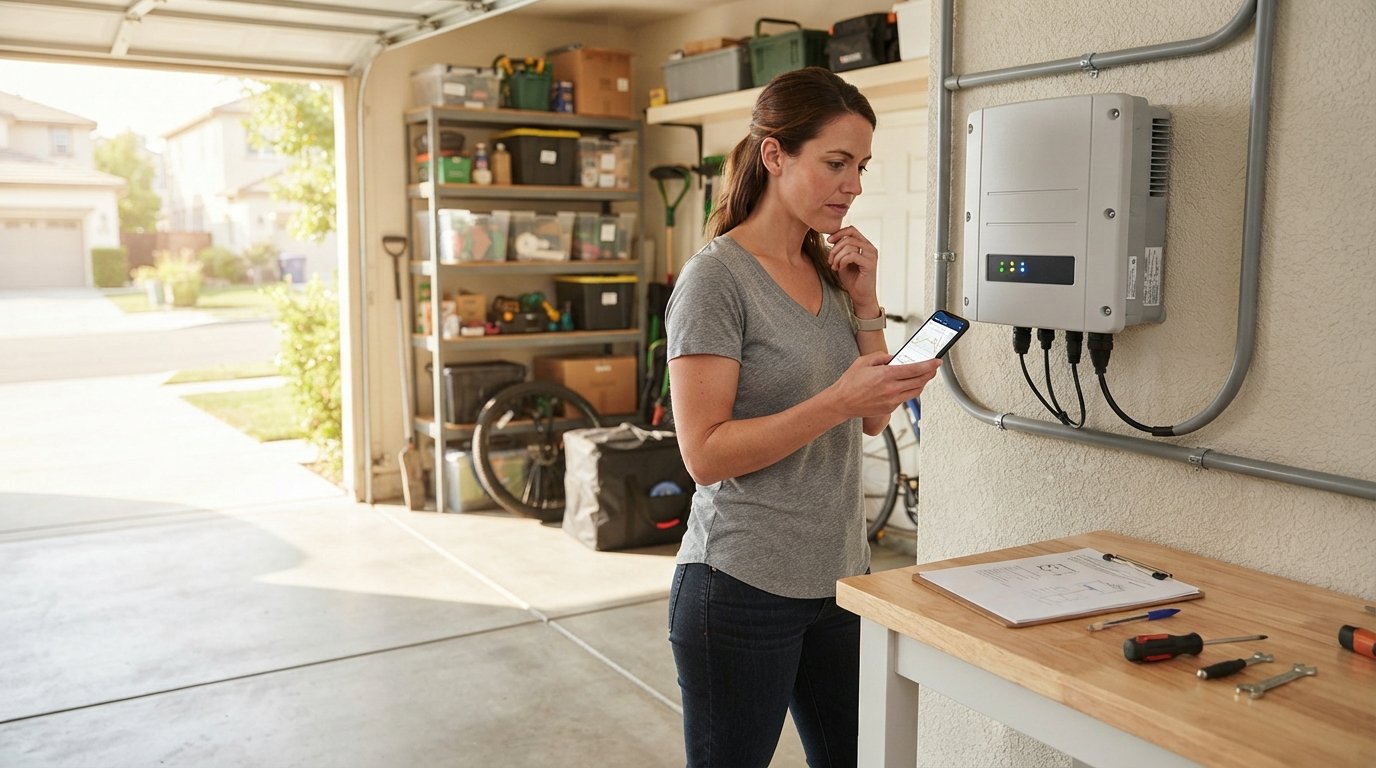
Next, check your Wi-Fi and monitoring connection. Many alerts labeled communication error or system offline have nothing to do with solar production at all. Your inverter or monitoring gateway may have lost its internet connection, which prevents data from reaching the app. Check whether your home internet is working, whether the router has been reset recently, and whether the inverter's Wi-Fi signal is visible. Reconnecting the gateway to your network often clears these alerts within a few hours.
Finally, inspect the inverter status display. Most inverters have an LCD screen or indicator lights that show status codes. A green light usually means normal operation, while red or amber lights indicate a fault. Note the exact code or message on the display. Your inverter manual or the manufacturer's website can explain what each code means. Some codes, like grid voltage out of range, resolve on their own when utility conditions stabilize. Others, like ground fault or arc fault, require professional attention and should not be ignored.
- Check the solar AC breaker and DC disconnect switch, and reset once if tripped.
- Verify your home internet and the monitoring gateway's Wi-Fi connection.
- Read the inverter display and record any status codes or error messages.
- Look for physical signs of damage, debris, or new shade around the array.
- Note the time and date of the alert and any recent weather or household changes.
These five steps take only a few minutes and resolve a large share of false alarms and minor interruptions. If the alert persists after these checks, you have already gathered the information your installer will need to help you efficiently. Documenting what you see is the next critical step.
Documenting Issues for Warranty Claims and Service Calls
Solar equipment comes with warranties that can run 10 to 25 years for panels and 5 to 12 years for inverters, depending on the manufacturer. To make a successful warranty claim, you need clear evidence that the problem is covered and that it was not caused by misuse, neglect, or external damage. Good documentation starts the moment you notice an alert, not after weeks of frustration.
Begin by capturing screenshots of the monitoring alert and the production graph. Most platforms let you export data or share a link to a specific time range. Save these files with dates in the filename. If your system has multiple alerts, screenshot each one. Then photograph the inverter display showing any error code, and take wide shots of the array from the ground to document visible conditions like shading, debris, or damage.
Keep a simple log of events. Note when the alert first appeared, what self-checks you performed, and what you observed. Include weather conditions and any recent changes to your property, such as new landscaping or construction. If you contact your installer or manufacturer, record the date, the representative's name, and any ticket or case number. This log becomes valuable if the issue escalates or if you need to prove that you reported the problem promptly.
Understanding your warranty terms before you need them makes the process smoother. Panel warranties typically cover manufacturing defects and performance guarantees, while inverter warranties cover hardware failures. Labor costs for diagnosis and replacement are sometimes covered and sometimes not, so ask your installer to clarify. If your system is leased or financed through a power purchase agreement, the leasing company usually handles maintenance and warranty claims, so contact them first rather than the manufacturer. For a deeper look at what happens when panels or inverters fail and how to protect your investment, see our guide on solar panel failure and investment protection.
When you are ready to submit a claim, send a concise summary with your screenshots, log, and inverter error codes attached. Installers and manufacturers handle thousands of tickets, and clear documentation helps your case move faster. If you are planning a move and need to transfer or reassess your solar system as part of a relocation, resources like Moving.Homes relocation guides can help you plan the logistics and understand what to communicate to your installer.
When to Escalate to Your Installer or Manufacturer
Knowing when to call for help is as important as knowing what to check yourself. Some alerts are safe to monitor for a few days, while others require immediate professional attention. As a general rule, escalate when the alert involves safety codes, when production has been zero for more than 24 hours, or when your self-checks do not resolve the issue.
Safety-related alerts should never be ignored. Ground fault, arc fault, and over-temperature codes indicate conditions that can damage equipment or pose a fire risk. If your inverter displays these codes, shut down the system if your manual provides a safe procedure, and contact your installer immediately. Do not open any wiring compartments or attempt repairs yourself. Similarly, if you notice a burning smell, discolored wiring, or physical damage to panels or conduit, keep people away and call a professional.
For non-safety issues, give the system a reasonable window to recover. Communication errors often clear within a few hours of reconnecting Wi-Fi. Weather-related dips resolve when conditions improve. If production remains low for several days despite good weather, or if the same alert recurs repeatedly, escalate. Contact your installer first, since they know your system design and can often diagnose remotely using the same monitoring platform you use. If the installer is unresponsive or out of business, contact the inverter or panel manufacturer directly with your documentation.
When you call, have your system details ready: the installation date, equipment model numbers, the monitoring alert screenshots, and your log of observations. Ask for a ticket number and an expected response time. If the issue is covered under warranty, confirm whether labor is included and who will perform the work. Clear communication at this stage prevents surprises later and helps ensure your system returns to full production quickly.
Solar panel system monitoring alerts and troubleshooting do not have to be intimidating. Most alerts are routine, many resolve on their own, and the rest become manageable when you follow a calm, documented process. By understanding your monitoring platform, performing safe self-checks, keeping good records, and knowing when to call a professional, you protect both your investment and your peace of mind. If you are still shopping for solar or want to compare installation and service options from vetted providers, request free, no-obligation quotes to make an informed decision.